knowing how and when to use ai in design decisions
the situation
Generative AI is part of every stage of how the work gets made now. Research, concepting, imagery, layout, production. That isn't a forecast, it's a description, and pretending otherwise doesn't make anyone look careful.
So the question stopped being whether to use it. It became whether you can tell when the output is wrong. A tool that produces plausible work in seconds is only useful to someone who can see the difference between plausible and right.
what i made
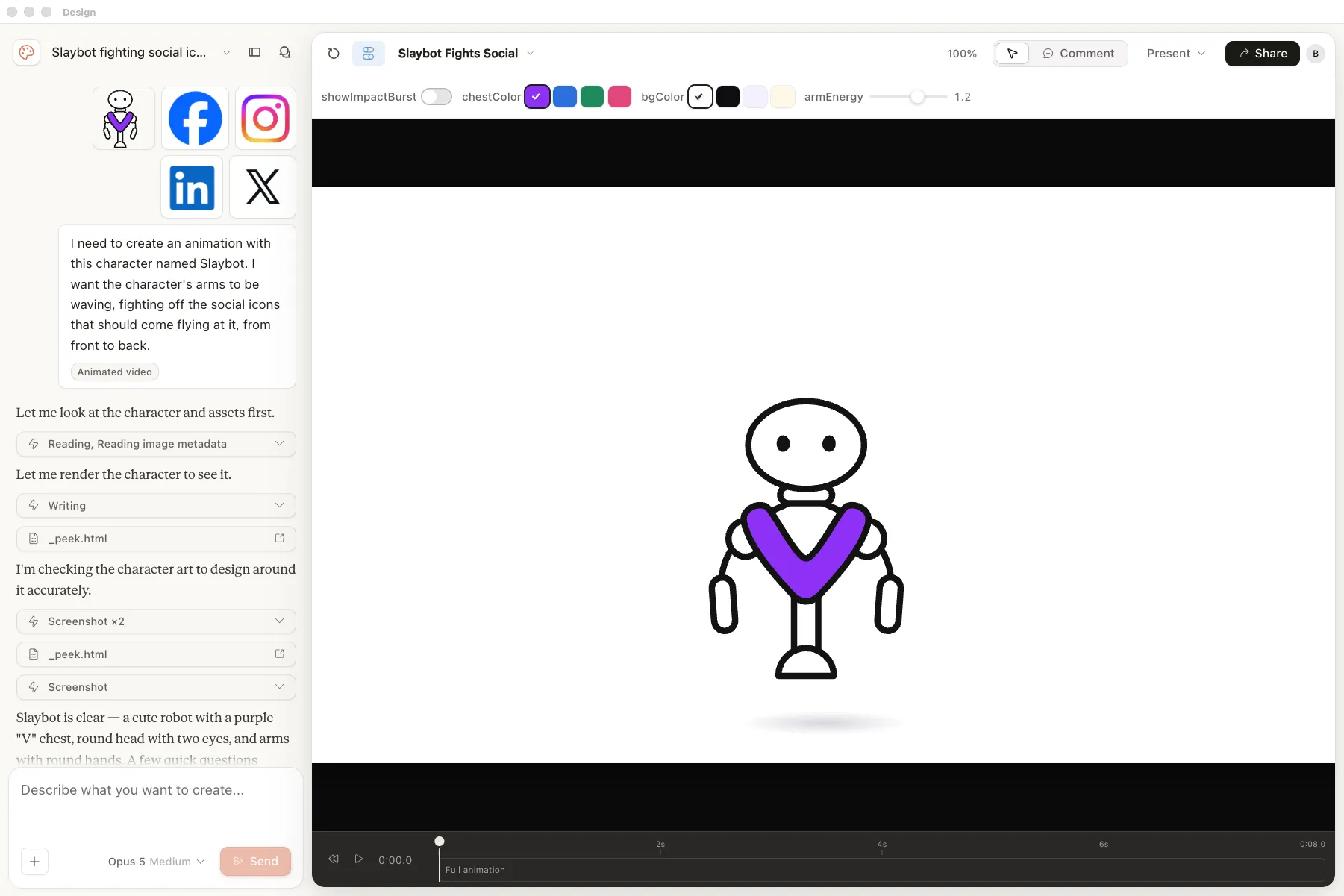
I use it across the whole process. Research, concepting, imagery, layout, production. It's genuinely useful in all of them, and most useful where the work is exploratory and nothing is final yet. There's no stage I've fenced it out of on principle.
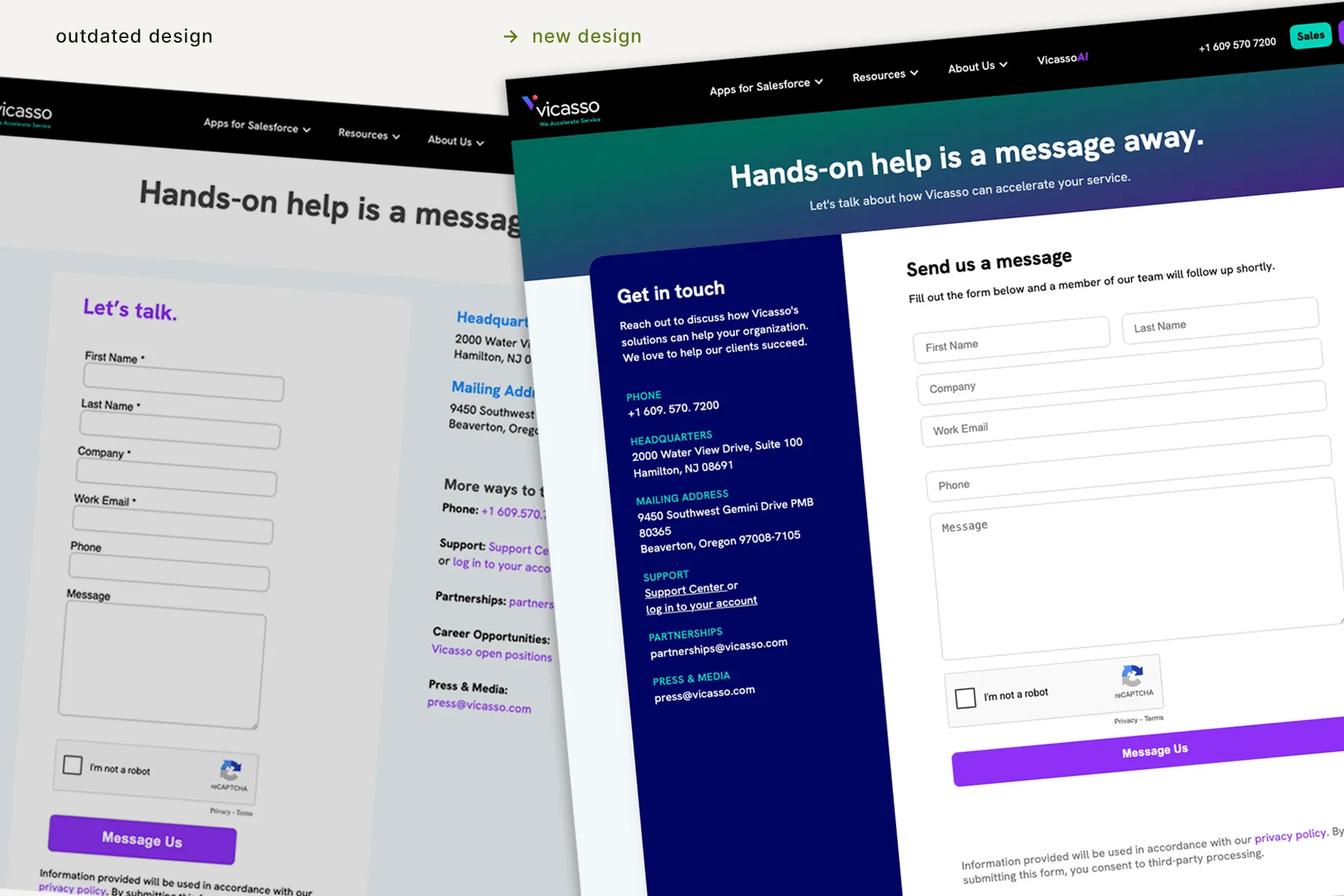
I question everything it gives me. This is the part that takes experience. Knowing a layout is off before I could tell you why. Catching a concept that's a competent version of something I've seen a hundred times. Noticing when a piece reads as generated, because it is. None of that is a prompt. It's a trained opinion about design, and it's the reason the output is worth anything.
The accountability doesn't move. Nothing ships because a tool produced it. The brand call, the final decision, and the responsibility when something is wrong all stay with me. That's true whether a piece took four hours or four minutes, and it's the thing that makes the speed safe to use.
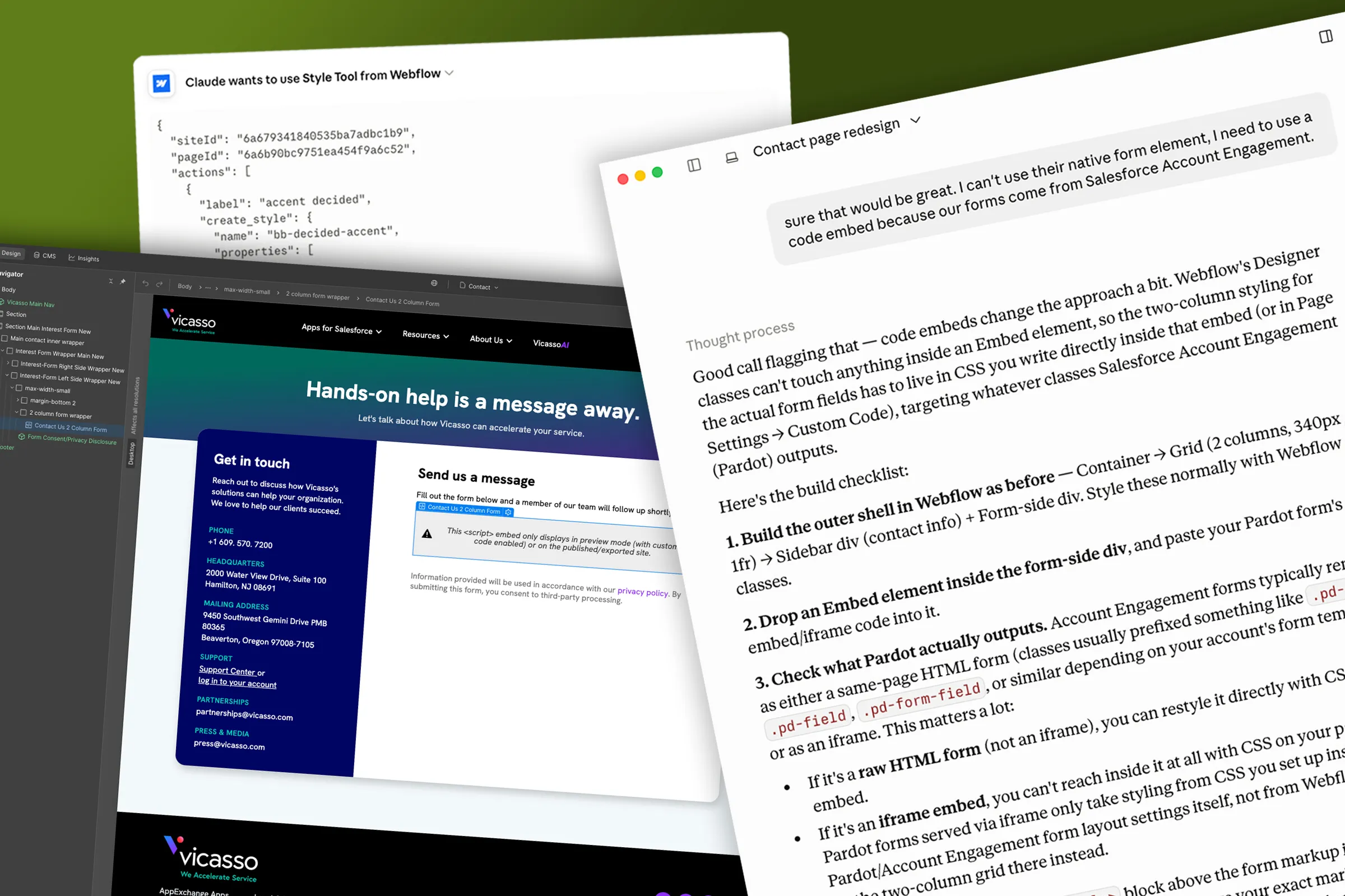
Now I'm testing it in production. I'm piloting an AI-connected Webflow workflow (MCP) to see whether the same judgment holds when the output is a built page rather than a concept. Reviewing a comp is a skill I've had for years. Reviewing something that arrives already built is a different one, and worth developing before it's expected.
the narrowing is the work


what i'd tell you about it
The tools got good at producing plausible work very quickly. Telling the difference between plausible and right is the part that still decides whether any of it is worth shipping, and it isn't something you can prompt for.